ERMS · Engineering Resource Management System
Ten systems. One platform. Your own servers.
Document control, engineering change, help desk, tasks, resource utilization, access authorization, IT assets, org structure, labor and training — one connected system for manufacturers, defense suppliers and engineering firms. Installed inside your own network.
Request a demo See the platform
- Runs air-gapped
- No vendor-side copy of your data
- SHA-256 verified releases
What you replace
- Shared drawing folders
- ECO spreadsheet
- Help desk inbox
- Task list
- Capacity spreadsheet
- Access request forms
- Asset inventory sheet
- Labor hours log
- Training matrix
One data model
Built for operations that get audited.
The same platform throughout — but the reason for buying it differs by sector, and naming the sector is what makes a buyer feel seen.
 Aerospace & defense
ITAR and CMMC obligations mean the data cannot leave your network. Nothing here does.
 Commercial manufacturing
Change orders raised against the current revision — not last month’s drawing sitting in somebody’s inbox.
 Engineering services
Who is committed to what, across every project, without calling a status meeting to find out.
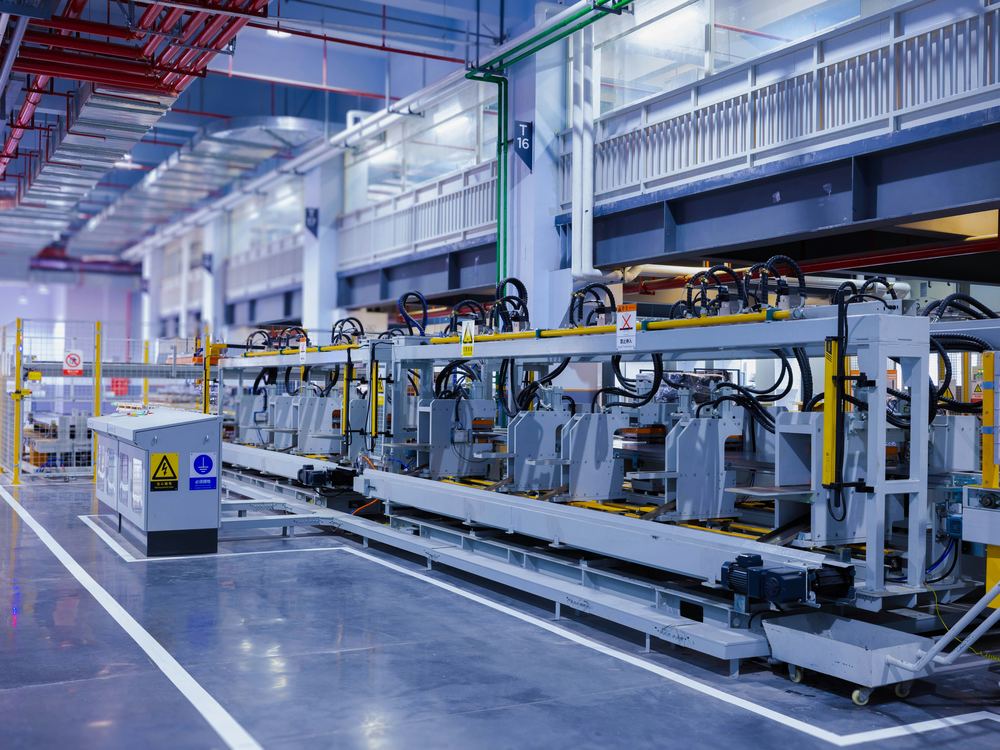 Industrial & regulated
Training currency, access reviews and approval chains as a report rather than a scramble.
More precisely: mid-size to large organizations with regulated, engineering-driven or audit-sensitive operations, where
- Document revisions and approvals must be traceable
- Engineering changes have to be controlled, not emailed
- Physical and system access has to be authorized, reviewed and revoked
- Training and certification currency has to be provable to an auditor
- Assets, labor and tooling all have to be accounted for
Twenty years in production, and still running
ERMS has run continuously in defense electronics manufacturing for more than twenty years — through two decades of audits, ownership changes and facility moves. The awkward cases are not theoretical here; they have already happened and been dealt with.
Built by people who have done CMMC
We have taken a defense supplier through CMMC Level 1 and Level 2 readiness, and ERMS carries the hooks built for it. Document control, access authorization and training currency are the three things an assessor asks for, and they are three of the ten modules.
The problem it solves
Most organizations of this type end up running six to ten separate tools — a document system, a ticketing tool, a spreadsheet for capacity, a badge-access spreadsheet, an asset register, a training tracker. They do not talk to each other. The same project exists in all of them under a different name. Reporting across them is manual. Audit prep is a fire drill.
ERMS replaces that with one data model. A project has tasks. Those tasks consume labor and tooling. That work generates document revisions and engineering change orders. The people doing it hold specific authorizations and training certifications, and use tracked assets. All of it in one place, all of it linked, all of it reportable.
How it is deployed
ERMS runs inside your environment. That is the design, not a configuration option — and “your environment” means whichever one you control: a rack in your building, a tenancy you own in the cloud, or the enclave you stood up to hold CUI.
On your infrastructure, or your own cloud
Installed on your servers, inside your network, under your access control, your backup regime and your monitoring. If your infrastructure is a private cloud, a tenancy in Azure or AWS, or a segmented enclave built to hold CUI rather than a rack in a building, that works the same way — it is still your subscription, your network and your IT that own it.
What we do not do is run it for you. There is no Sky5-hosted instance of ERMS, which is precisely why there is no vendor-side copy of your data.
No external dependencies
No external service is required for ERMS to run. No telemetry, no license server to phone home to, no third-party API in the request path. If your network is isolated, the product still works — and that same absence of dependencies is why it runs just as well in a tenancy you own.
No data leaves your environment
We hold none of your data. There is no vendor-side copy of your documents, change orders, personnel records or asset register, because there is no vendor-side system for them to sit in.
You control every change
Updates are delivered to you as packages with a published SHA-256 checksum. You verify, deploy to test, and promote to production on your own change-control schedule. Nothing reaches production without your approval.
We hold no standing access to any customer production system. Where support access is ever needed it is requested, time-limited and granted by you.
Continuity
Because ERMS runs on your hardware, an interruption at our end does not interrupt your operation — the software keeps running, on your servers, under your control, with your data where it already is.
Where we differ from the cloud suites
A technical buyer builds this table anyway, on a whiteboard, with our name in one column. Building it for them means the rows are the ones that actually decide it.
| Criterion | ERMS | ServiceNowenterprise ITSM, cloud | Arena & cloud PLMPLM / QMS, cloud |
|---|---|---|---|
| Where it runs | Your servers, your cloud tenancy or your CUI enclave | Vendor cloud | Vendor cloud |
| Runs air-gapped | Yes | No | No |
| Vendor holds your data | Never — there is no vendor-side system | Yes | Yes |
| Who decides when it updates | You do — verified packages, your change control | The vendor | The vendor |
| Scope | Ten modules, one data model | ITSM-led, modules licensed separately | PLM and QMS |
| Aimed at | Small and mid-size | Large enterprise | Mid to large |
Compared on architecture, not on scale. Both are strong products with far more customers and far larger engineering teams than ours — that is not in dispute and it is not what this table is about. Every row above is a structural difference that more customers would not change.
The ten modules
Designed and integrated together, not bolted together.
- 01Document & file control
- 02Engineering change
- 03Help desk
- 04Task management
- 05Resource utilization
- 06Authorization & access
- 07IT assets
- 08Projects & org
- 09Labor & tooling
- 10Training
1Document & File Control
Controlled documents with real revision history and approval routing. Every document moves through a defined lifecycle — draft, review, approved, archived — with a permanent record of who approved what and when. Supersedes the shared-drive-plus-naming-convention approach that fails every audit.
2Engineering Drawing & Change Order Control
Formal ECO workflow from initiation through engineering review to release. Change orders link directly to the drawings and documents they affect, so nothing gets released against a stale revision and nothing gets lost in an email thread.
3Help Desk & Ticket Management
Intake, assignment, escalation and resolution tracking for internal support requests. Because it shares the platform's user, department and asset records, a ticket already knows who the requester is, what team they are on, and what equipment they are assigned.
4Task Management
Assignable work items with ownership, due dates and status, rolling up to projects and departments. Managers see what is open, what is late and who is carrying it — without a status meeting.
5Resource Utilization
A live view of where your people and capacity are actually going. Committed versus available effort by person, team, department and project; who is over-subscribed and where capacity sits idle. Turns "I think we're at capacity" into a number you can defend.
6Physical & Logical Authorization
One place to request, approve, review and revoke both building or area access and system or application access. Authorizations carry expiry, and revocation is tracked as deliberately as approval — which is exactly what an access-control audit asks to see.
7IT Asset Management
Full asset lifecycle: procurement, deployment, assignment to a person, maintenance history and retirement. Assets tie back to the users, departments and tickets they are connected to, so "who has that laptop and when was it last serviced" is one lookup.
8Projects, Departments & Workgroups
The organizational structure everything else hangs from. Define it once, and every other module inherits it — so reporting rolls up consistently instead of being reassembled by hand.
9Labor & Tool Process Workflow
Step-by-step execution of defined processes with labor capture and tool tracking at each step. Records what was done, by whom, how long it took and with which tooling — producing both a compliance record and real cost data.
10Training Management
Course catalog, enrollment, completion and certification currency. Shows at a glance who is qualified for what and whose certification is expiring — so training compliance is a report, not a scramble.
Why it is different
One data model, not ten integrations
The modules were designed together rather than acquired and bolted on. Cross-module relationships — project → task → labor → change order → training → authorization — already exist and already work.
The awkward cases are already handled
This is not a first draft. It runs real operations daily, which means the situations that break a new system — the change order raised against a superseded revision, the authorization that expired mid-project, the person who moved department — have already surfaced and been dealt with.
Built for the audit
Approval chains, access authorization histories, training currency and document revision trails were designed for organizations that get audited — not retrofitted afterward.
Breadth is the moat
Most tools in this space solve one problem well. Covering the full operations lifecycle in one system is uncommon.